
 Workflow artwork
Marketing workflow · English
Search measurement workflow
Editorial artwork for the search measurement workflow in a healthcare marketing programme: planning, publishing and review.
Reporting design, search journeys and healthcare website experiences.
Independent studio work across healthcare websites, campaigns and brand systems. Explore our client case studies for commissioned projects.
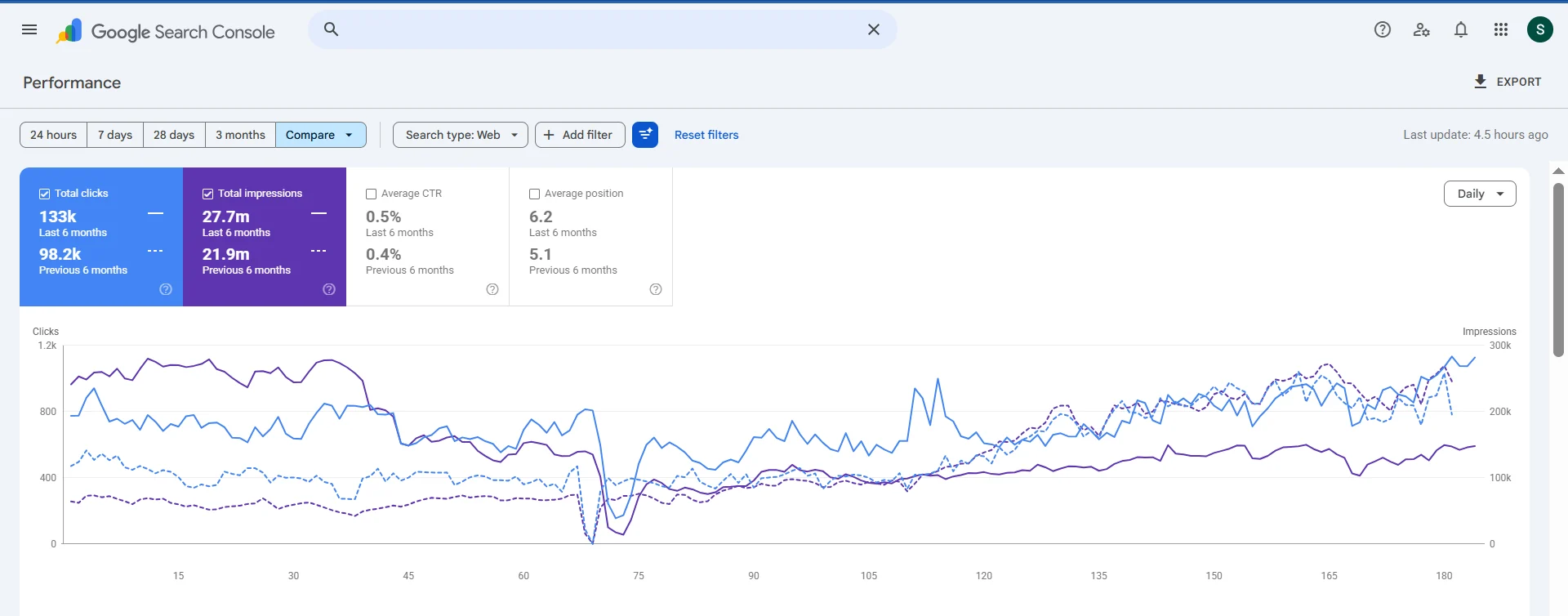
Performance from the portfolio
Raj Hospitals’ six-month comparison shows more search clicks and impressions across the two reporting windows.
Inspect original screenshot ↗ · Explore the Raj Hospitals case study →
Selected work
Open any project for the full artwork, the brief and the design decisions behind it.
Workflow artworkMarketing workflow · English
Editorial artwork for the search measurement workflow in a healthcare marketing programme: planning, publishing and review.
 Studio design
Independent studio design · English
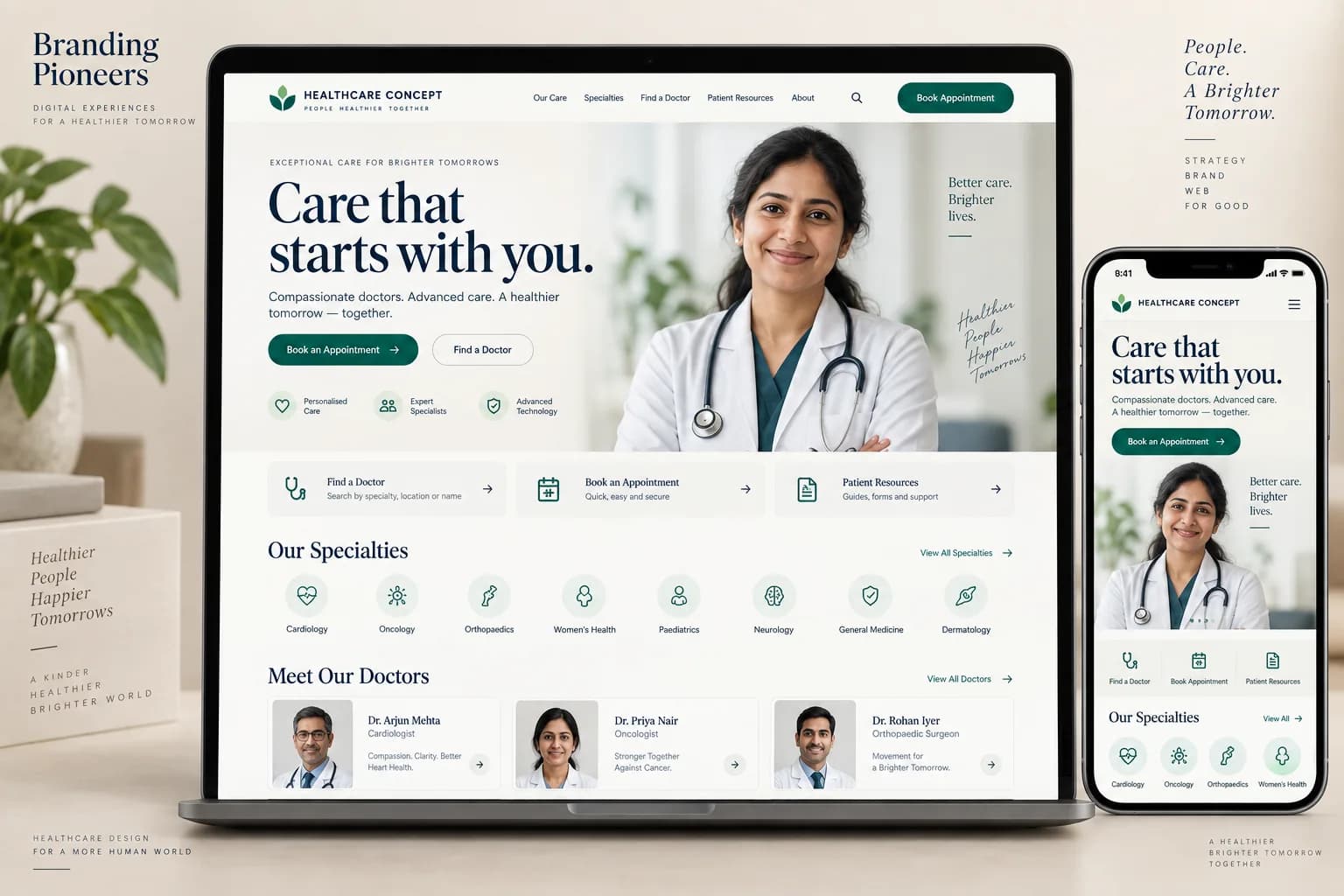
Hospital website design with emerald appointment interface on desktop and mobile
 Studio design
Independent studio design · English
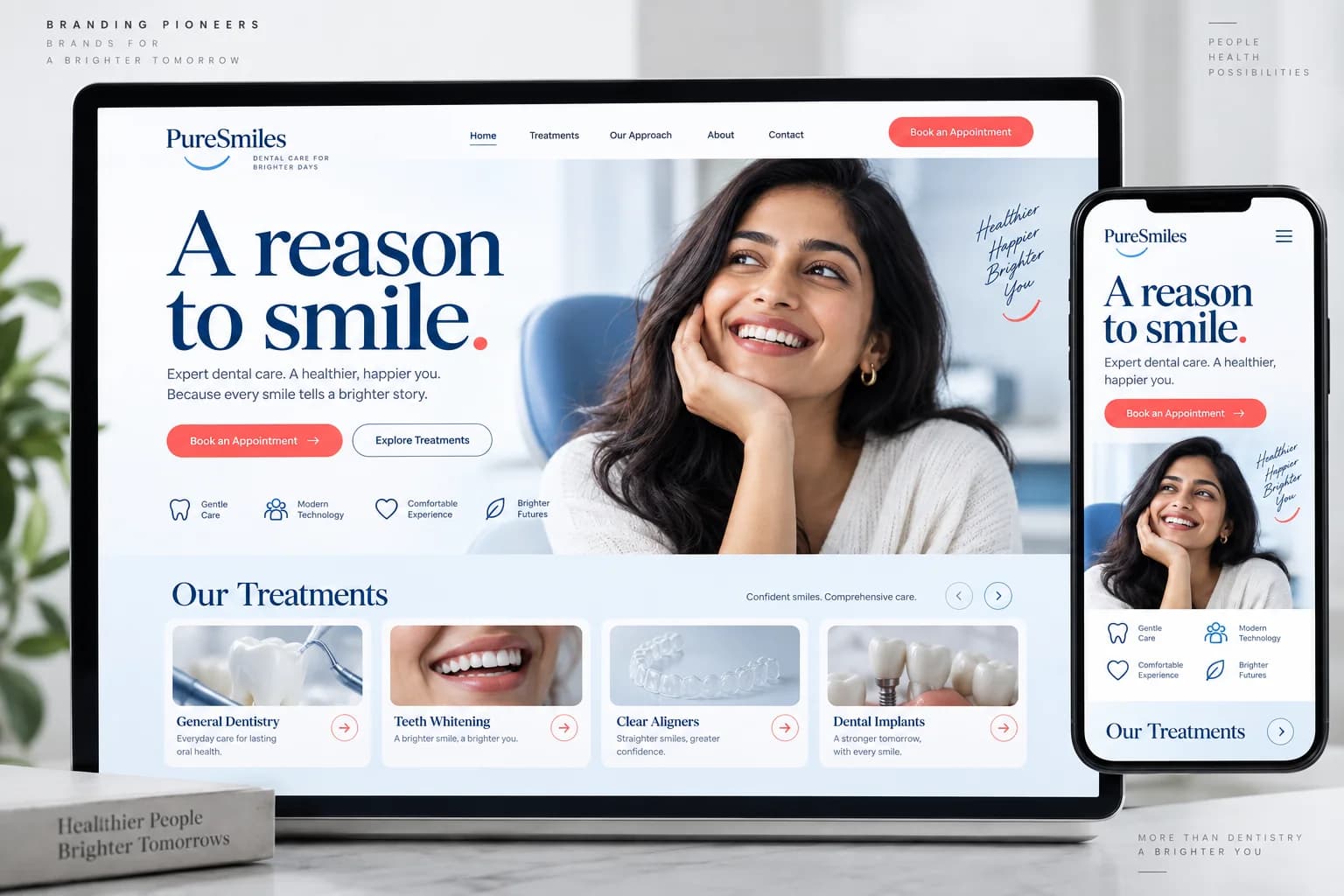
Dental clinic desktop and mobile website design in cobalt blue and porcelain white
 Studio design
Independent studio design · English
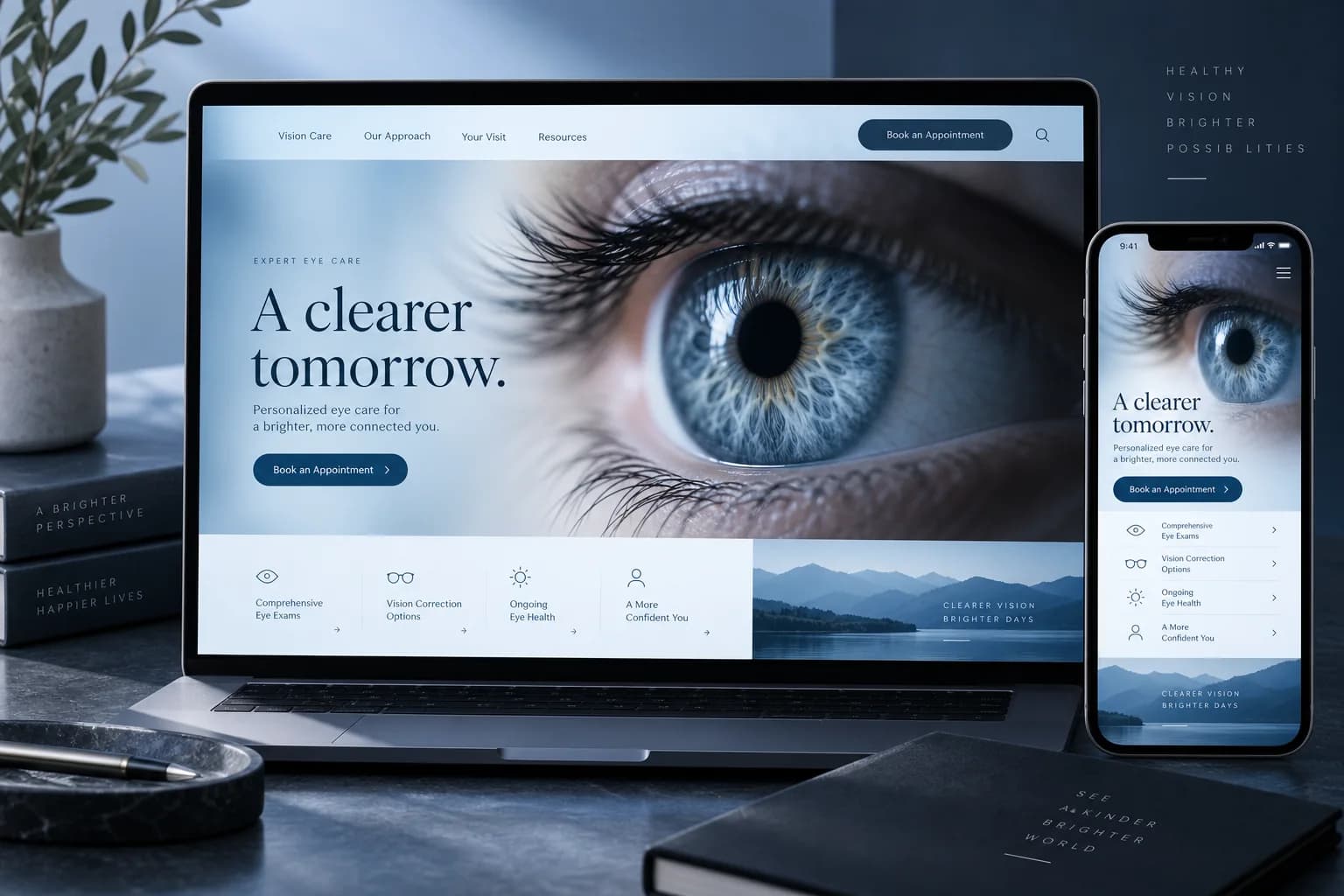
Ophthalmology website design with eye photography and sky blue desktop and mobile interfaces
 Studio design
Independent studio design · English
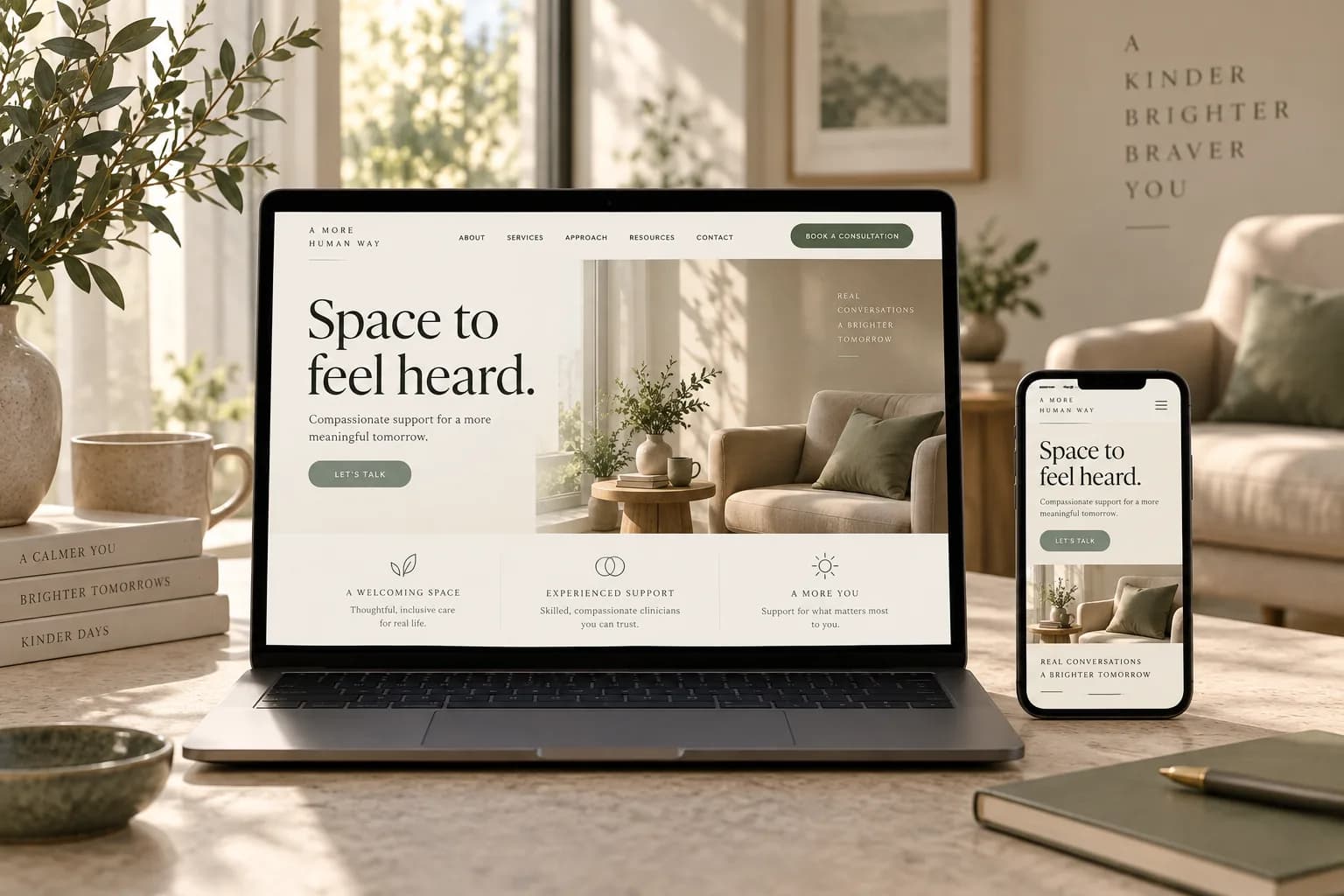
Mental health practice website design with sage and cream layout and sunlit consultation room
Client work
Want work like this for your practice?
Discuss your projectDiscuss your project
Three quick questions. We come prepared with a plan for your specialty and city.

 You’ll speak with a senior strategist
From reports to rankings
These pieces come out of our healthcare SEO programmes, where SEO reporting has to make sense to a medical director as well as a marketer. The ranking work itself is local SEO, technical SEO audits and condition and treatment pages.
For results with numbers, see the case studies; for the method, the healthcare SEO guide and how long healthcare SEO takes.
Practical notes & supporting evidence
Start hereSEO search visibility .
Establish contextUse the published scope and relevant source material
Choose the next stepFollow the linked resource and assign an owner
Reporting design, search journeys and healthcare website experiences. This collection brings together 5 published projects. Examples include Search measurement workflow; Hospital website design; Dental website design; Eye care website design; Mental health website design. Each project has its own description, brief and design decisions, so you can move from the category overview to the individual work that most closely matches your next task.
The collection includes material labelled by its actual status. Keep independent studio concepts and workflow artwork identified when preparing a reference deck. For seo & search visibility, compare the message, format and intended action across the examples before choosing a direction. The linked service page explains the wider delivery context, while the individual project pages let you inspect the visual decisions in detail.
Look first at the problem the collection addresses and the deliverables it actually contains. A website study can explain navigation and information hierarchy. A campaign collection can demonstrate how a message moves through different formats. Identity materials can show consistency across print and digital applications. These are useful design references, but each answers a different question. Choose the example closest to your intended task, then identify the parts you want to explore further rather than requesting a copy of the whole collection.
Write a brief that names your provider, audience, services, existing brand constraints and the action the work should support. Include content ownership and the practical destination of contact requests. When several stakeholders approve the work, agree who has the final decision on medical information, design and operational details. The clearer those responsibilities are, the easier it becomes to review a proposed layout without repeatedly changing the underlying service description or appointment process.
Read the collection at its intended size. Check whether the provider and message remain recognisable, whether supporting copy is legible and whether the next action is easy to understand. Look for consistent terminology across individual pieces. For multilingual work, have the wording reviewed by someone who understands the language and the service context. A translated message can change length, reading order and emphasis, so the layout needs its own review rather than an automatic text replacement.
Keep the distinction between independent studio concepts, client deliverables and editorial workflow artwork visible. Concepts explore possible design approaches. Client collections show the materials or engagement scope identified on their pages. Workflow artwork explains a process visually. None of these categories should be presented as an unverified client result. For a new project, confirm the release checklist and measurement plan separately from design approval, and make sure the source files and approval notes remain available to the team responsible for future updates.
Begin with the question you need to answer, then choose the most appropriate destination in this collection. A guide explains a method, a checklist supports a repeatable review, a calculator explores assumptions and a case file documents a particular engagement. Reading them as interchangeable resources can create confusion. If you need to brief a supplier, start with the relevant service or framework. If you need to assess evidence, start with the source reports and the limits stated alongside the example.
Use the collection to narrow the investigation rather than adding every possible task to a marketing plan. Identify the stage where progress is blocked: discovery, understanding the service, making contact, arranging an appointment or following up. Choose a resource that addresses that stage and keep a short note of the evidence you need. A focused review is easier to act on than a long list of unrelated recommendations, particularly when clinical approvals and operational changes involve different people.