NewNMC’s advertising guidelines for doctors are in force from 6 Oct 2026. See what to change, and get a free compliance auditNew NMC advertising rules for doctors: what to change
AI Search

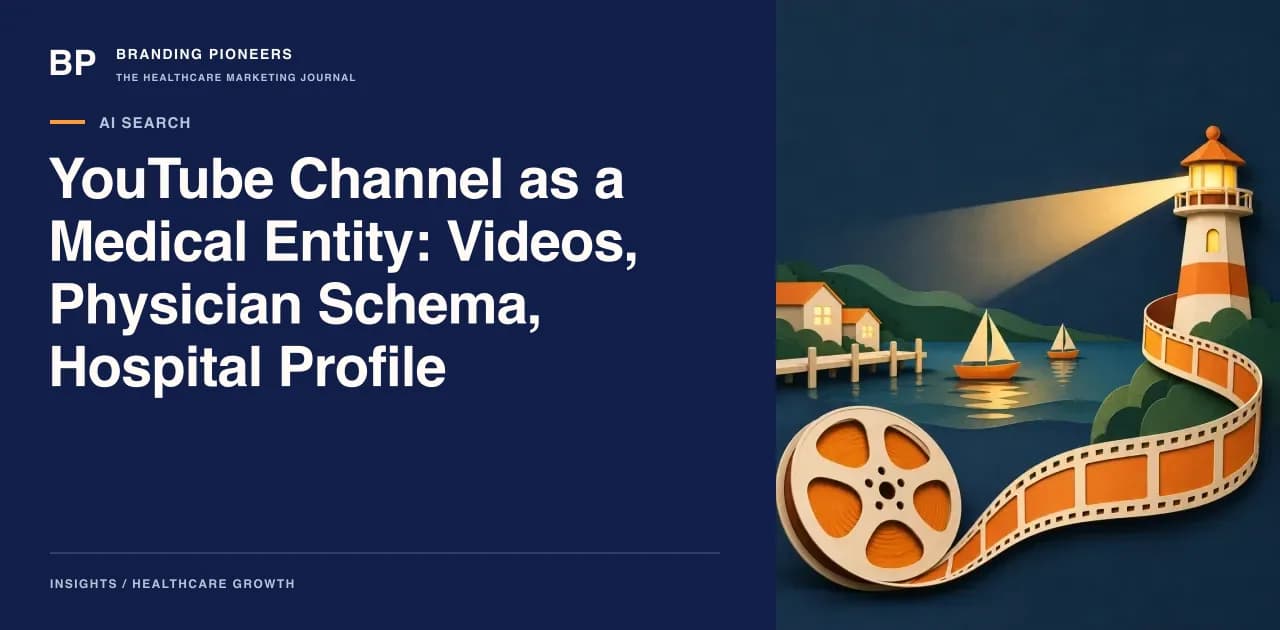
YouTube Channel as a Medical Entity: Videos, Physician Schema, Hospital Profile

How to connect a hospital or surgeon's YouTube channel to website entities through descriptions, transcripts, Physician and VideoObject markup, so search and AI systems read one consistent source.

YouTube Channel as a Medical Entity: Videos, Physician Schema, Hospital Profile

If your hospital or practice already publishes videos, the channel is probably treated as a marketing asset: a place to post, count views and embed clips on service pages. Search systems and AI answer engines read it differently. To them a channel is a source that either belongs to a recognisable medical entity or does not. This article is for surgeons who run a practice, hospital marketing leads and anyone who owns the technical side of a clinical video programme.

It answers one question: how do you tie the channel, each video, the doctor who appears in it and the hospital behind it into a single, consistent set of facts? We assume you already post regularly. For channel growth tactics, see our piece on building a doctor YouTube channel that drives patients; for paid video, see YouTube ads for doctors. Here the focus is the linking layer.

Why the channel is worth treating as an entity

An SE Ranking study of health AI Overviews found that YouTube accounted for 4.43% of 465,823 citations, more than twice the share of MSD Manuals in that dataset. Two caveats matter before you act on it. The study covered German-language queries run from Berlin in a one-time December 2025 snapshot, and it did not test Indian queries. Of the 25 most-cited videos, 24 came from medical-related channels such as hospitals, clinics and health organisations, which is the useful part: cited channels looked like institutions, not anonymous uploaders.

That is a pattern, not a rule. But it suggests a practical goal. A person or system that meets one of your videos should be able to answer four questions without guessing: who is speaking, what are their qualifications, which institution are they connected to, and when was the content last reviewed.

Map the entities before touching markup

Write the entity map on one page first. Most inconsistency comes from teams editing YouTube, the website and schema separately.

EntityCanonical home on your websiteYouTube anchorSchema type
Hospital or clinicOrganisation or hospital pageChannel About section, channel banner linkHospital, MedicalClinic or Organization
DoctorIndividual profile pageName and designation in every descriptionPhysician (with an individual profile URL)
VideoWatch page or service page that hosts itThe YouTube watch URLVideoObject
Service or conditionService-line or condition pagePlaylist title, description linkPage-level markup, referenced from the video

Give each website entity one stable URL, then decide which of these will be your reference identifier in markup. In practice that is the profile URL plus a fragment, for example the profile address followed by #physician. Use the same identifier everywhere. If a doctor appears under three spellings across the website, the channel and a directory, you have created three candidates for one person.

Channel-level signals

The channel itself carries a handful of fields that you control.

  • Name. Use the institution name or the doctor's full professional name as it appears on the website and in their registration. Avoid adding keywords such as "Best Cardiologist in Delhi" to the name.
  • About section. State who runs the channel, the institution, the city, and the link to the official website. Add the official profile page link for the doctor and the main hospital page.
  • Links. Use the channel links to point to the website, the appointment page and one verified social profile. Keep the destination URLs identical to the canonical ones in your entity map.
  • One channel per entity. A hospital with separate channels for each of fifteen consultants dilutes the hospital identity. A common structure is a single hospital channel, with consultant playlists, and a separate personal channel only where a doctor already has an established audience. If a doctor's personal channel exists, the hospital affiliation should be stated in its About section and mirrored on the website profile.

For Indian doctors, remember that every claim made in the channel About text falls under the same professional conduct rules as the website. Our NMC compliance handbook covers what a doctor can and cannot state about themselves publicly. Clinical content should be reviewed by the doctor on screen before it is published.

A description template that carries entity data

A video description is read by viewers and by crawlers. Write the first two lines for both. A workable template, in order:

  1. One plain sentence that says what the video explains, with the condition or procedure named once.
  2. Speaker line: name, designation, registration-relevant specialty and institution, for example "Presented by Dr [Name], Consultant Urologist at [Hospital], [City]."
  3. Link to the doctor's profile page and the matching service page, using the canonical URLs.
  4. Date of clinical review and the reviewer's name.
  5. Chapter timestamps.
  6. A short educational disclaimer saying the video is general information and not a substitute for consultation.

Chapters are worth the effort. YouTube's own documentation says that for chapters to work, the first timestamp must be 0:00, there must be at least three timestamps in ascending order, and each chapter must last at least 10 seconds. They give viewers a table of contents and give search systems labelled segments. Write chapter titles as questions or noun phrases a patient would recognise, such as "When is surgery considered?" rather than "Section 2".

Do not stuff the description with keyword lists or tags. It adds nothing a search system can use and reads as careless to a patient.
Want this applied to your practice? Get a free ai search audit.

Book my free audit

Captions and transcripts

Auto-generated captions routinely garble drug names, procedure names and Indian proper names. Upload a corrected caption file for every video. YouTube explains the process in its captions help page. Review the transcript for three things: medical terms, doctor and hospital names, and numbers such as dosage or duration, which should not appear in public videos unless the doctor has approved them.

Then publish the transcript, edited into readable prose, on the page that hosts the embedded video. This does two jobs. It gives text-only crawlers the full content, and it gives patients who cannot play audio, or who prefer to read in a hospital waiting room, an alternative. Keep the transcript attributable: the doctor's name, review date and links to the profile should sit near it.

On-site linking: VideoObject and Physician

Embed the video on the most relevant service or condition page, not only on a generic "videos" page. Google's video structured data documentation lists name, thumbnailUrl and uploadDate as required properties on VideoObject, and recommends description, duration, contentUrl or embedUrl, and creator or author. The same page describes hasPart with Clip entries for key moments, and says Google prioritises key moments you set, including, for YouTube videos, timestamps in the description.

Here is a field-level plan for one video page.

  • VideoObject. name equals the on-page heading. uploadDate equals the YouTube publish date. embedUrl is the YouTube embed URL. description is the first sentence of the YouTube description. author points to the Physician or the organisation by identifier, not by a loose text name.
  • Physician. schema.org describes Physician as an individual physician or a physician's office, and the type includes hospitalAffiliation, medicalSpecialty and availableService. On the profile page, set sameAs to the YouTube channel URL and to any other official profile. Set hospitalAffiliation to the hospital entity.
  • Hospital or MedicalClinic. On the organisation page, sameAs lists the hospital channel and the other verified profiles you own.
  • The page. Link the video page to the profile page in visible text, and let the profile page list the videos in a section titled with the doctor's name. A mention of the same entity in both directions is more useful than a one-way link.

For general implementation patterns, see our healthcare schema markup guide and the schema markup service page. Validate after publishing with Search Console's rich result reports. Markup that disagrees with the visible page is worse than no markup, so check that every value in the markup appears on the page.

Failure modes

  • Name drift. The channel says "Dr. A. Sharma", the website says "Dr Anil Kumar Sharma", the directory says "Dr Anil Sharma". Pick one and correct the others.
  • Orphan videos. Videos exist on the channel but are embedded nowhere, so no website page vouches for them.
  • Stale reviews. A video on a treatment that has changed still carries last year's review date. Add videos to the same content register as written pages, with an owner and review interval.
  • Third-party reuploads. Clinics sometimes allow an agency to upload on a separate channel. Move uploads to a channel the institution controls.
  • Unreviewed claims. Outcome statements, comparisons with other hospitals and patient testimonials can breach professional rules. Keep them out of both the video and its description.
  • Patient identification. Do not show patient names, faces or records without documented consent, and do not use real cases as examples in descriptions.

Measuring whether it worked

You cannot see AI citations directly, so measure around them. In YouTube Studio, check the traffic sources for search and external traffic. In Search Console, look at video-related appearances and queries that include the doctor's name. Then, on a set of test queries, record whether the channel or the hosting page is cited in AI answers, and repeat the check monthly. A short, repeatable test beats a one-off screenshot.

Tools that organise citations and publication workflows can help here. AiLLMz is one that supports visibility across AI search and LLMs; the entity map above works with or without it.

Where to start

Do this in order, and expect it to take a few weeks for a single doctor.

  1. Write the entity map and fix names, designations and URLs.
  2. Update the channel About section and links.
  3. Rewrite descriptions for the ten most-viewed videos using the template.
  4. Replace auto-captions with reviewed captions on those ten.
  5. Embed each on its service or condition page with a reviewed transcript.
  6. Add VideoObject and Physician markup, with sameAs links in both directions.
  7. Validate, log the date, and add the videos to the content review calendar.

If your team wants help with the video side, our YouTube SEO service covers channel structure and metadata.

Filed underYouTube medical channel SEOdoctor YouTube channel schemaVideoObject physician schemahospital YouTube channel optimisationYouTube transcripts for AI search

About the author

Co-Founder & CTO · Gurugram, India

Arush builds the systems the rest of the company runs on — the patient-acquisition pipelines, the AI chatbots, the analytics that tie a single click to a booked appointment. If a campaign reports a number, it's because something his team built is tracking it.

Free guide · 15 pages

The Patient Acquisition Blueprint

A 90-day plan from first search to booked appointment.

The Pioneers Brief — one essay, three benchmarks, one teardown, every Thursday. Subscribe free →

Free ai search audit

Your next chapter starts with a conversation.

Three quick questions. We come prepared with a plan for your specialty and city.

  • A 30-minute call with a healthcare specialist
  • Your top three growth opportunities, in writing
  • Honest advice — even if that means not hiring us
  • No obligation and no hard sell
You’ll speak with a senior strategist
Consultations are hosted by Arush Thapar’s team.
Step 1 of 3Takes 30 seconds

What do you want to improve first?

Details stay privateNo obligationReply within 1 working day

Client portfolio · YouTube & video

Work relevant to youtube channel as a medical entity videos physician schema.

Explore client work →