The Waiting List Built on YouTube
There are orthopedic surgeons with a private practice and a YouTube channel who started with zero production experience, a camera phone, and a cheap ring light bought online.
A few years later, some of these channels have hundreds of thousands of subscribers. Their videos explaining knee pain, joint replacement, and sports injuries in a mix of English and their regional language have collectively accumulated tens of millions of views. Their clinics carry waiting lists of weeks. They have never run a Google Ad. They do not have a paid social media campaign.
They have a YouTube channel.
This outcome is not unique. It is replicable. The specific steps are documented, the algorithm is understood, and the patient-to-appointment conversion mechanism is predictable. What it requires is commitment, consistency, and a willingness to appear on camera and be genuinely useful to people who have health questions.
This is not a guide about going viral. Viral videos do not build practices. This is a guide about building a compound media asset that generates patient inquiries month after month, year after year.
Why YouTube Works Differently for Doctors Than for Any Other Professional
Three factors make YouTube uniquely effective for physician patient acquisition:
Search intent is already there. YouTube is the world's second-largest search engine. Patients searching for information about their condition on YouTube are specifically seeking video explanations. They are already in an information-gathering mindset. A doctor who provides that information becomes the expert they associate with the condition.
Trust transfer is direct. Seeing a doctor on camera — hearing their voice, watching their manner, observing their expertise in explaining — is the closest thing to a consultation that digital media can provide. The trust built through 10 to 15 minutes of watched video is qualitatively different from trust built through text or even photos. Patients who book after watching a doctor's YouTube videos often say "I felt like I already knew you."
The shelf life is indefinitely long. A Facebook post is dead in 48 hours. A YouTube video about knee replacement surgery continues to appear in search results, continues to accumulate views, and continues to generate appointment inquiries for 5 to 7 years after it was published. The cumulative effect of consistent YouTube publishing is compound — each new video adds to a growing archive that works for the practice 24 hours a day.
Setting Up: What You Actually Need
Camera and Audio
You do not need a professional setup to start. What you do need:
Camera: iPhone 13 or later, Samsung Galaxy S22 or later, or any modern Android flagship. These shoot 4K video that is more than adequate. If you are recording on a phone, use a tripod (₹1,500 to ₹4,000) and the back camera (better quality than front).
Microphone: This is more important than camera quality. Poor audio ruins videos; slightly imperfect video does not. A lavalier microphone that clips to your coat and plugs into the phone headphone jack costs ₹800 to ₹3,000 and dramatically improves audio quality.
Lighting: A ring light (₹2,500 to ₹8,000) or recording near a large window provides adequate lighting. Flat, even lighting without harsh shadows is all you need.
Background: Your clinic consultation room, a clean bookshelf, or any professional-looking space. Not your kitchen.
Total setup cost: ₹5,000 to ₹15,000. This is not a budget barrier.
Channel Setup
- Channel name: Your name, or your name plus specialty ("Dr. Rajesh Kumar Orthopedics"). Avoid generic names like "Health Tips Channel" — your name is your brand.
- Channel art and logo: Professional graphic that matches your clinic's brand
- Channel description: Complete. Include your specialty, location, what your channel covers, and a disclaimer that this is educational content and not medical advice.
- About section: Link to your clinic website and appointment booking page
The Non-Negotiable Disclaimer
Every video description and your channel description must include: "This video is for educational purposes only and does not constitute medical advice. Please consult a qualified healthcare professional for any health concerns."
This protects you from liability, is required under NMC guidelines, and patients actually appreciate it — it signals that you understand the limits of digital health education.
What Content to Make: The Formats That Work
Format 1: The Condition Explainer (Most Searched, Highest Volume)
"What is a herniated disc and how do you treat it?" "Understanding Type 2 diabetes: what patients need to know" "PCOS explained: causes, symptoms, and management options"
These are search-driven videos. Patients actively search for this information on YouTube. Target conditions that:
- Are common in your patient population
- Have high monthly search volumes on YouTube (research using TubeBuddy or VidIQ keywords tools)
- Are complex enough that a doctor's explanation adds value over what a patient can read on WebMD
Optimal length: 8 to 15 minutes. Long enough to be substantive; short enough to maintain attention.
Structure: What is the condition → What causes it → What are the symptoms → How is it diagnosed → What are the treatment options → When should you see a doctor
Format 2: Myth Busting (High Shareability, Engagement)
"5 myths about back pain — and what the science actually says" "Diabetes myths your family believes (that are completely wrong)" "Does cracking your knuckles cause arthritis? The evidence"
Myth-busting content has high share rates because patients share it with family members who hold those myths. It positions you as a corrective authority rather than a rote informer.
Optimal length: 5 to 10 minutes.
Format 3: Procedure Explanation (High Appointment Intent)
"What actually happens during a knee replacement — explained by a surgeon" "Your first colonoscopy: what to expect step by step" "Laparoscopic hernia surgery: the operation explained"
Patients considering a procedure are anxious about it. A surgeon who explains the procedure clearly and calmly converts more procedure-inquiries than surgeons who do not, because they have already addressed the fear.
This content attracts patients actively considering the procedure — the highest-intent audience on YouTube for your specialty.
Optimal length: 10 to 20 minutes. These can be longer because patients who are considering the procedure watch the full video.
Format 4: Q&A (Community Building, Regular Cadence)
Monthly or bi-weekly Q&A videos where you answer questions submitted by subscribers. This format builds community, is easy to produce (no new research required), and shows responsiveness.
Announce the Q&A format in your community posts and short videos, collect questions, answer 8 to 12 per episode.
YouTube SEO: Getting Found
YouTube video views come from two sources: YouTube search and YouTube's recommendation algorithm. To capture both:
Title: The title must include the exact phrase patients search for. "Knee Replacement Surgery Explained: Recovery, Risks, and What to Expect." Front-load the keyword: "Knee Replacement Surgery" should appear in the first 40 characters.
Description: First 2 sentences must be a compelling summary of the video (this text appears in search results). Include all relevant keyword variants in the first 200 words. Add timestamps for each section. Link to your appointment booking page.
Tags: Include 10 to 15 tags: your primary keyword, related terms, specialty terms, symptom terms, and your name.
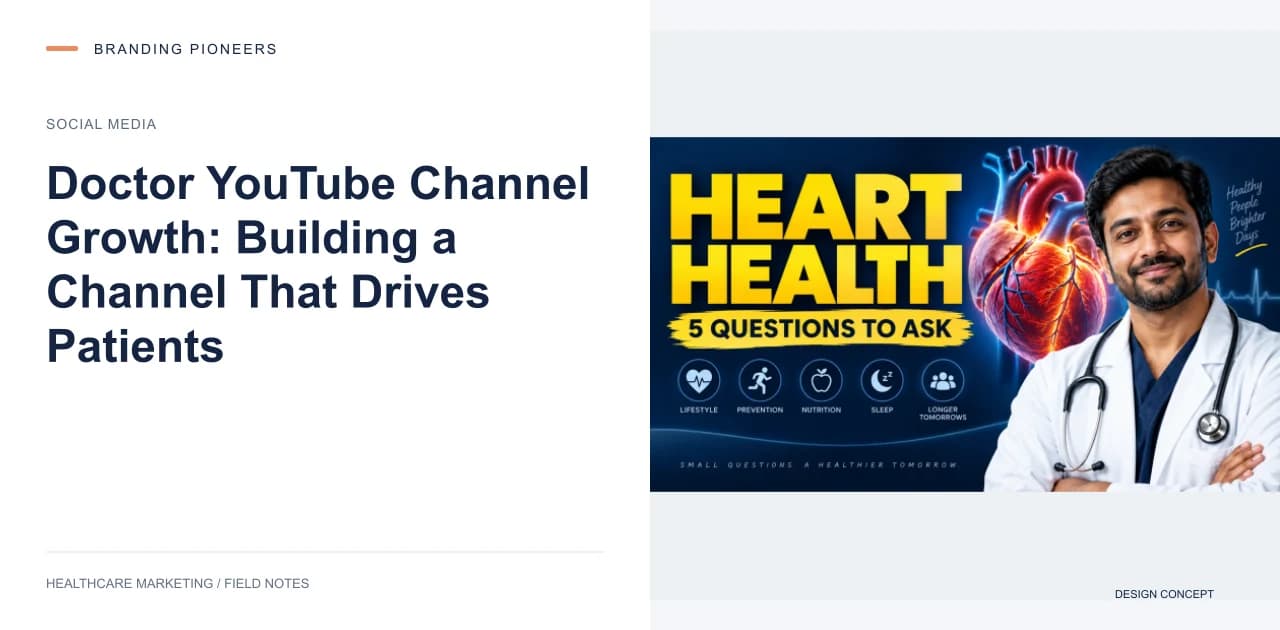
Thumbnail: Bright, readable at small size, with 3 to 5 words of large text and your face. Thumbnails with faces consistently outperform those without. Test different thumbnail styles using YouTube's A/B thumbnail testing feature.
Chapters: Add chapter markers in the description (timestamps). This improves watch time by helping viewers jump to the section they need, and chapters appear in search results as navigable sections.
Converting Viewers to Patients
YouTube views are not appointments. The conversion mechanism requires intentional design.
In-video CTA: At the 6 to 8 minute mark AND at the end of the video: "If you have questions about [condition], or if you would like to book a consultation, visit [booking link] or WhatsApp us at [number]." Both mid-video and end-screen CTAs are needed — many viewers drop off before the end.
Description link: Your booking URL should be the first link in every video description, above the fold (before the "show more").
Pinned comment: Pin a comment on every video with: "For appointment bookings, visit [link] or WhatsApp [number]. I'm available [days] in [city]." This appears prominently under the video.
Community post: After each video, post a community update: "New video up about [topic]. Booking slots open for [month] — link in bio."
The conversion rate from YouTube viewer to appointment inquiry for a well-structured channel with consistent CTAs is modest per view, but the volume compounds. A channel with 100,000 monthly views can generate hundreds of appointment inquiries per month — a patient pipeline that most paid advertising campaigns cannot match at comparable cost.
Build Your Doctor YouTube Channel — Content Strategy and Launch Support →
Filed underdoctor YouTube channeldoctor YouTube growthphysician YouTube marketinghealthcare YouTube channel Indiamedical YouTube SEO

About the author
Nishu Sharma
Founder & CEO · Gurugram, India
Nishu founded Branding Pioneers in 2016 with one rule that hasn't changed since: healthcare only. She'd run digital strategy at a top-10 Indian agency and watched generalist marketing underserve medical clients who needed something built for how patients actually search and decide. So she left to build the specialist instead. It's now an 80-person team working with healthcare brands worldwide.
Free guide · 15 pages
12-Month Healthcare Social Media Calendar
Never run out of content ideas — a full year, mapped.